


Hear My Baby Heartbeat Monitor
4.463.00 Reviews
App Specs
- Version
- 1.2.4
- Updated On
- License
- Free
- Downloads
- 1,000,000+
- Developer
- App Bards
- Categories
- Parenting
- Platform
- Android, iOS
Screenshots
 Analysis by AppCompare
When I think about a phone app for pregnancy, I separate the emotional value from anything that could be mistaken for a health check. Hear My Baby Heartbeat Monitor is aimed at the first: a personal way to try to capture a baby’s heartbeat and keep a recording. That distinction matters. I’d approach it as a keepsake and bonding tool, not as a way to decide whether a pregnancy is healthy.
What a quick session is really like
The appeal is easy to understand: open the app, find a quiet moment, and try to listen. In practice, I would not expect an instant result every time. Sound capture depends on conditions outside the app, including background noise, how the phone is positioned, and where the baby is at that moment. A failed attempt does not automatically mean the app is slow or broken; it may simply be a poor listening moment.
That makes patience part of the experience. I’d set aside a calm stretch rather than trying to get a result while walking around, talking, or juggling other tasks. If the first attempt is unclear, it is more sensible to pause and try again later than to keep shifting the phone rapidly and assume each faint sound is meaningful.
Making a recording worth keeping
The recording option gives a successful session a purpose beyond the moment itself. I like the idea of saving a clip to revisit or share privately with a partner, especially if work schedules or travel mean you are not always together when you try. It turns a fleeting listen into a small family keepsake, without making the app a substitute for an appointment or a professional assessment.
A useful habit is to treat each recording as a memory rather than a measurement. The app’s recording history can help you revisit saved moments, but a collection of clips should not be read as a medical trend. For a more meaningful keepsake, I’d add a personal note outside the listening session—such as where you were or who was with you—rather than trying to infer health changes from differences in sound quality.
Where it fits among pregnancy tools
Many pregnancy apps focus on calendars, articles, reminders, or general progress tracking. This one has a narrower, more personal purpose: trying to capture a heartbeat. If you already use a pregnancy planner, I would see this as a companion for occasional listening, not a replacement for the practical information and scheduling those tools provide.
It is also different from relying on a clinician’s equipment. A phone-based experience cannot offer the same context or interpretation as a healthcare professional, so anyone seeking reassurance about symptoms or fetal wellbeing should contact their care team instead. The emotional payoff may be lovely when a recording works, but that is not the same as a dependable clinical check.
Worth Reading Before You Choose

EA SPORTS FC Mobile 26 Is a Bigger Football Game, but It Takes Time

Flipboard Shows What News Apps Must Do Beyond the Feed

Switching to Android Auto Means Rethinking Your Driving Routine

Google Calendar Makes a Crowded Week Easier to Manage

Ludo King Makes the Most of the Minutes Between Plans

Baby Panda World Brings Quick Play to Modern Phones, but Its Game Library Feels Busy
Who may enjoy it—and who should pass
I think it suits expectant parents who are comfortable with an occasional, unpredictable result and who mainly want a private moment or a recording to share. It may also appeal to a partner who wants to feel included from home. The best fit is someone who can enjoy the attempt without needing it to succeed on demand.
I would skip it if listening would make you anxious, if you are likely to interpret silence as a warning, or if you want an app to answer medical questions. It is also not the right choice for someone expecting a polished, guaranteed listening session in any room or at any time. A regular pregnancy tracker is a better fit for planning and information; a healthcare provider is the right option for concerns that need medical attention.
For an everyday example, imagine setting aside a quiet moment after dinner with your partner. You can make one calm attempt, save a recording if it is clear enough, and share the experience without turning the evening into a test. If the result is hard to hear, stopping and trying another time is a healthier response than repeatedly searching for certainty in the audio.
There is a practical trade-off here: the app’s most memorable feature is also the one that depends most on the circumstances around you. A peaceful room and a patient approach may improve the experience, but neither guarantees a recording. I would make that expectation clear before inviting family to listen, so a session remains a pleasant possibility rather than a promise.
For privacy and device comfort, I’d also use ordinary phone habits: keep the session brief, avoid sharing a recording more widely than intended, and check that your device has enough battery for the moment. Those are sensible precautions for any personal recording, not special capabilities I would assume the app provides.
Before downloading, a common question is whether it costs anything or is suitable for a family device. It is free, carries an Everyone content rating, and is made by App Bards. Its current version is 1.2.3, and it requires Android 8.0 or later. The app has an average rating of 4.3 from around 17,000 ratings and has passed one million installs, which offers a sense of its reach but cannot tell you whether a particular session will work on your phone.
Another reasonable question is whether it replaces a Doppler device or prenatal appointment. I would not treat it as either. It is a phone app for a personal listening experience; it does not turn a recording into a diagnosis. If you have a health concern, skip the app as a source of reassurance and contact your healthcare provider.
People also wonder what to do when they cannot hear anything. My advice is to avoid drawing conclusions from one attempt. Background noise, positioning, and pregnancy stage can affect what you hear, so take a break and try again only if the experience still feels enjoyable. If the uncertainty is upsetting, stepping away is a perfectly sensible choice.
As a parenting app, it occupies a small but distinctive corner of the category. It is less about managing the many tasks of pregnancy and more about capturing a moment that can feel emotionally significant. That focus is a strength for the right person, but it also means the app will not meet every pregnancy-related need.
For speed expectations, I would judge it by how easily I can begin a session, not by how quickly I can obtain a clear heartbeat. No phone app can remove the real-world variables involved in listening. In a quiet setting, the process may feel simple; in a noisy or distracting one, repeated attempts can become frustrating. I would not keep the app open for a long search just to force a result.
Heavy-use moments call for a little restraint. If several relatives want to hear a recording, I’d capture one clip when conditions are calm and share that, rather than passing the phone around and repeatedly restarting. This keeps the moment less chaotic and reduces the chance that background conversation will make the next attempt harder to interpret.
On reliability, I’d distinguish between the app functioning and the sound being clear. A recording that is faint or unusable does not, by itself, show that the app has failed; it may reflect the environment or the listening conditions. Conversely, a clear recording should not be treated as proof that everything is medically fine. That is the boundary I would keep in mind whenever I use it.
Device constraints matter too. The app requires Android 8.0 or later, so an older Android phone may not be a fit. Since this is a listening and recording experience, I’d use headphones if available, choose a quiet place, and make sure the phone is comfortable to hold. Those small choices can make the session easier without promising a particular result.
My performance verdict is measured: this can be a warm, memorable app when a session comes together, but its value is emotional rather than clinical. I would recommend it to expectant parents who want to try listening and saving a personal recording, as long as they are prepared for occasional uncertainty. If your priority is dependable medical reassurance, a phone app is the wrong tool.
Hey there, fellow expectant parents! If you're anything like me, you're probably eager to hear your little one's heartbeat whenever you can. Let's dive into the world of the Hear My Baby Heartbeat Monitor app and see what all the fuss is about.
Getting Started with the App
First things first, downloading the app is a breeze. It's available on both Android and iOS, so no matter what device you're rocking, you're covered. Once installed, the app walks you through a simple setup process. Honestly, it was a nice touch that they kept it straightforward, because who has time for complicated setups when you're busy prepping for a new baby?
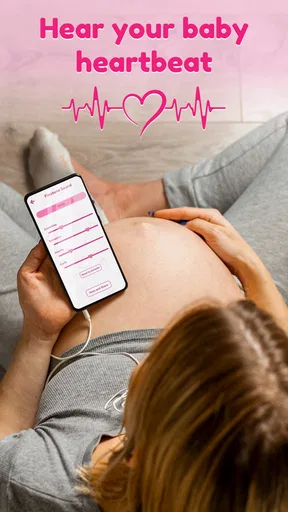
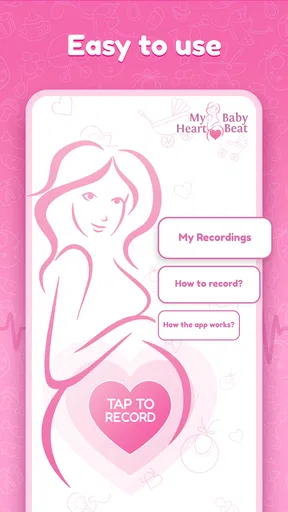
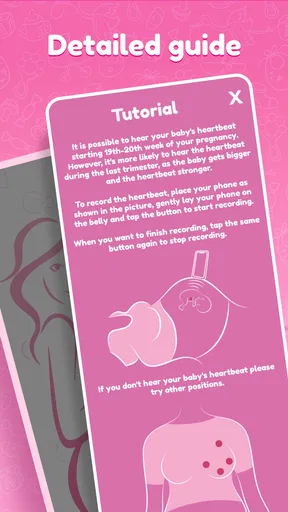
Now, onto the fun part! You'll need to grab a pair of headphones and find a quiet spot. Trust me, the quieter the environment, the better your chances of catching that tiny heartbeat. The app itself has a user-friendly interface, which is a big plus. You don’t need to be a tech wizard to navigate through it.
Features That Stand Out
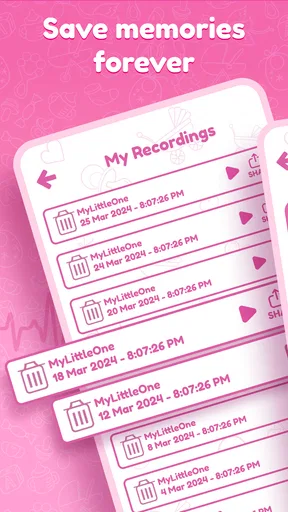
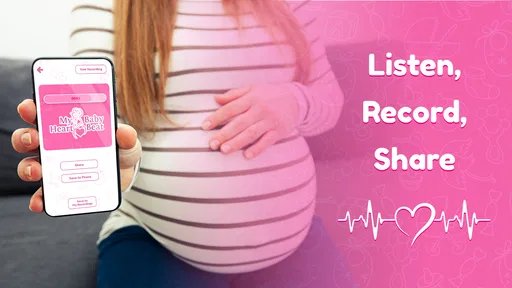
One of the standout features of the app is its ability to record and save your baby’s heartbeat. This means you can share those magical moments with friends and family, or just keep them for yourself to listen to whenever you need a little pick-me-up.
The app also includes a nifty feature that allows you to track your recordings. This way, you can see how your baby's heartbeat changes over time. It's pretty fascinating stuff, and honestly, it's a wonderful way to feel more connected during the pregnancy journey.
My Personal Experience
Using the app for the first time was a bit of an emotional rollercoaster. Hearing that little heartbeat was just incredible. It took me a couple of tries to get it right, so don't worry if it takes some practice. The key is patience and a bit of trial and error.
I also found the recording feature especially useful. Being able to play back the heartbeat and share it with my partner was an experience like no other. It’s these small moments that make pregnancy feel so real and exciting.
Things to Keep in Mind
While the app is a fantastic tool, it’s important to remember that it's not a medical device. If you have any concerns about your pregnancy, it's always best to consult with your healthcare provider. The app is designed for fun and bonding, not for medical advice.
Also, keep in mind that hearing your baby’s heartbeat can depend on a few factors, like the position of your baby and the stage of your pregnancy. So, if you don't hear anything right away, don't panic. Give it another go later.
Final Thoughts
All in all, the app is a delightful addition to the journey of pregnancy. It's affordable, easy to use, and brings a touch of magic to everyday life. It’s not just about hearing a heartbeat; it’s about creating memories and feeling connected to your baby before they even arrive.
If you're looking for a way to bond with your little one and savor those precious moments, this app might just be the perfect fit for you. Happy listening!
Pros
- Easy-to-use interface for quick setup.
- Accurate heartbeat detection with clear sound.
- Compatible with most smartphones.
- Records and stores heartbeats for later listening.
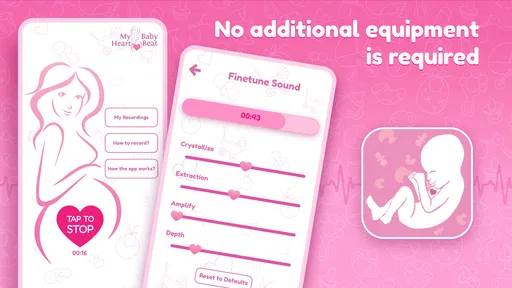
- No need for additional equipment.
Cons
- Requires a quiet environment for best results.
- Not a substitute for medical-grade equipment.
- Limited features in the free version.
- May not work well with older phone models.
- Battery usage can be high during sessions.
FAQs for Hear My Baby Heartbeat Monitor
How does Hear My Baby Heartbeat Monitor work?
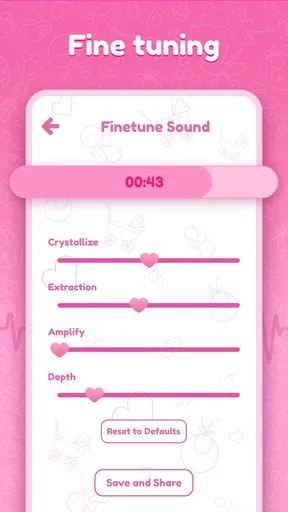
Hear My Baby Heartbeat Monitor uses the microphone on your smartphone to amplify and record the sound of your baby's heartbeat. By placing the microphone on your belly, the app filters and enhances the sound, allowing you to listen to and save the heartbeat recordings. It’s important to follow the instructions carefully for optimal results.
Is Hear My Baby Heartbeat Monitor safe to use during pregnancy?
Yes, Hear My Baby Heartbeat Monitor is designed to be safe for both the mother and baby as it uses only the microphone of your phone to pick up sounds. There are no emissions or harmful radiation involved. However, it’s always best to consult with your healthcare provider before using any new device during pregnancy.
What should I do if I can't hear my baby's heartbeat with the app?
If you’re having trouble hearing the heartbeat, ensure that you are in a quiet environment and that the microphone is placed at the right spot on your belly. Sometimes, repositioning the phone or trying at a different time of day can help. If you still can't hear it, consult with your doctor to ensure everything is alright.
Can I save and share the recordings from Hear My Baby Heartbeat Monitor?
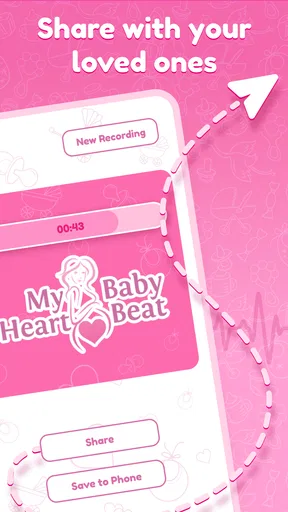
Yes, the app allows you to save recordings of your baby's heartbeat, which can be a wonderful keepsake. You can also share these recordings with family and friends directly from the app, making it easy to share the joy with loved ones.
What devices are compatible with Hear My Baby Heartbeat Monitor?
Hear My Baby Heartbeat Monitor is compatible with most modern smartphones running iOS and Android. However, it’s recommended to check the app’s specifications on the App Store or Google Play to ensure your device meets the compatibility requirements. A good quality microphone is essential for the best experience.


